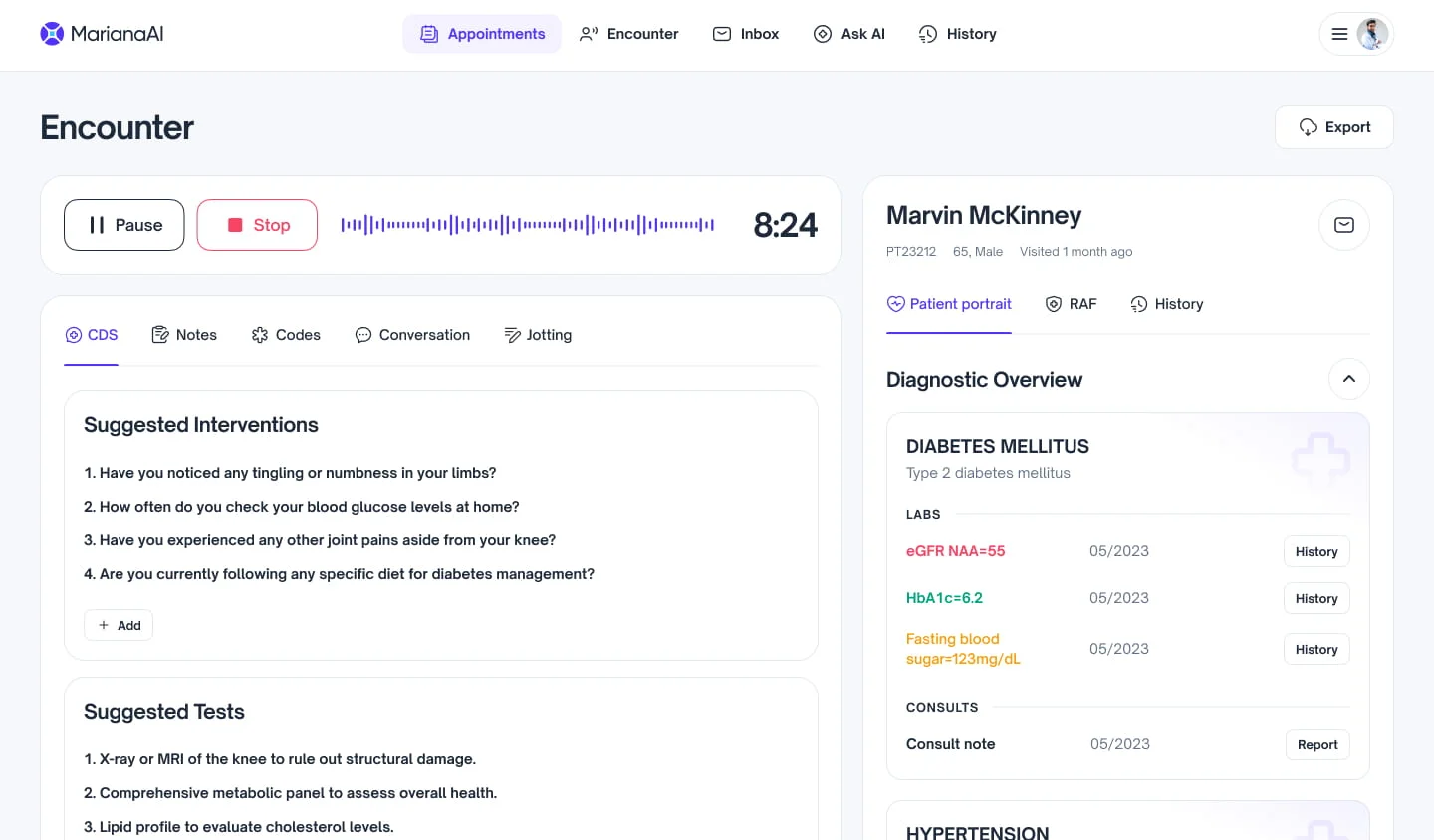
AI Native Clinical Copilot for Documentation & Decision Support
- Clinician time saved
- 45 hr/wk
- Medical coding automated
- 90%
- Revenue influenced
- $500K
- Increase in revenue
- 21%
Overview
Executive Summary
CARE is an AI native clinical copilot platform designed to reduce documentation burden, provide real-time decision support, and streamline downstream administrative workflows for healthcare providers. The product integrates directly with existing clinical systems and EHRs, enabling ambient documentation and AI assistance without disrupting clinician-patient interactions.
This project documents my work on the early design and foundational clinician experience for CARE, with a focus on workflow alignment, explainability, and scalable personalization across specialties. The goal was to design AI assistance that functions as background infrastructure supporting clinical work without adding cognitive or interaction overhead.
Problem
Navigating Unprecedented Pressures
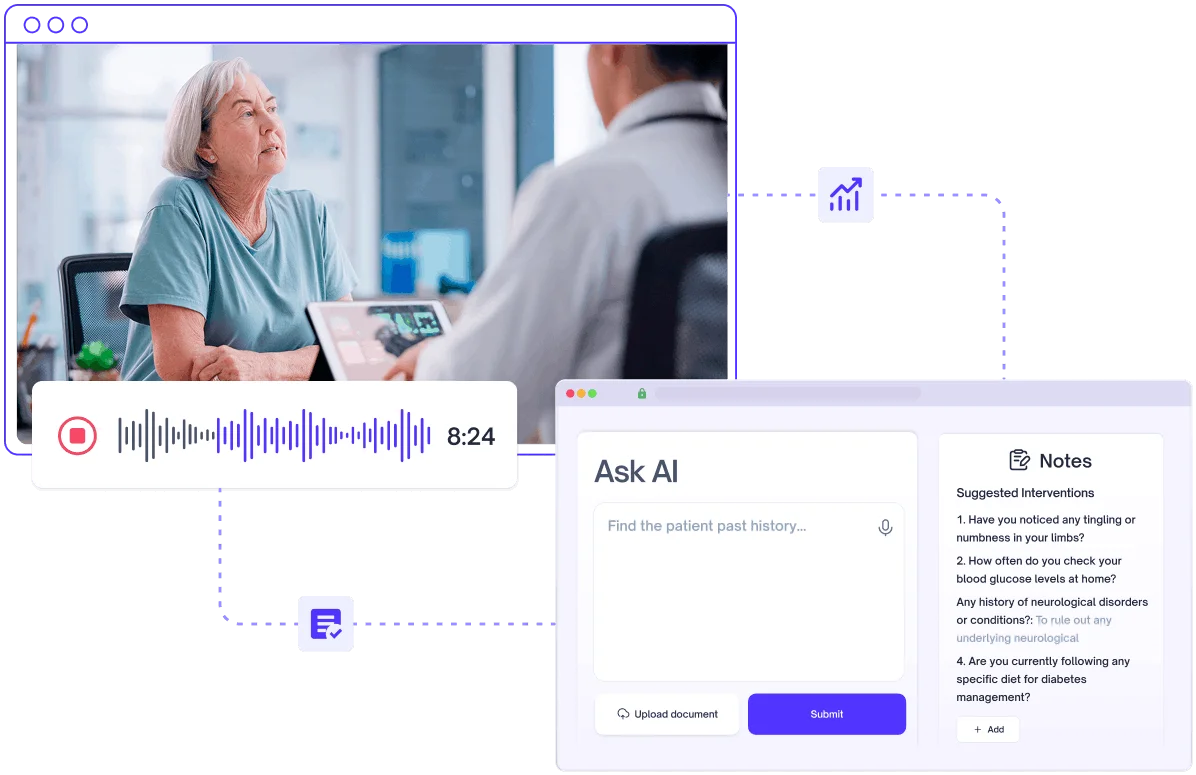
Documentation is no longer a record of care. It is a second job running alongside it, and four pressures shaped what CARE had to answer.
Excessive Documentation
Clinicians spend up to 16 hours weekly on documentation, the heaviest load in protocol-driven care.
Data Accuracy Concerns
Generic EHR templates misrecord the device settings and dosing that specialty care turns on.
Heightened Burnout Risks
Burnout runs 15% higher where the documentation load is heaviest, driven by EHR admin work.
EHR Workflow Issues
40% of clinicians report dissatisfaction with their EHR, citing lost efficiency at every step.
EHR Reality
Designed Around Data, Not Decisions
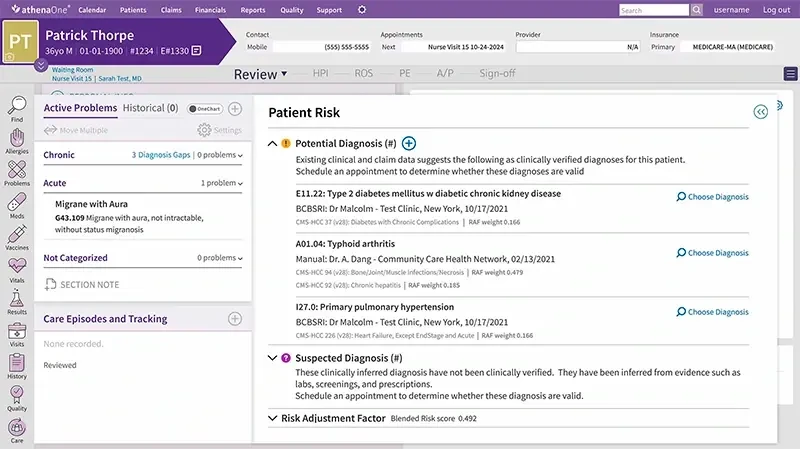
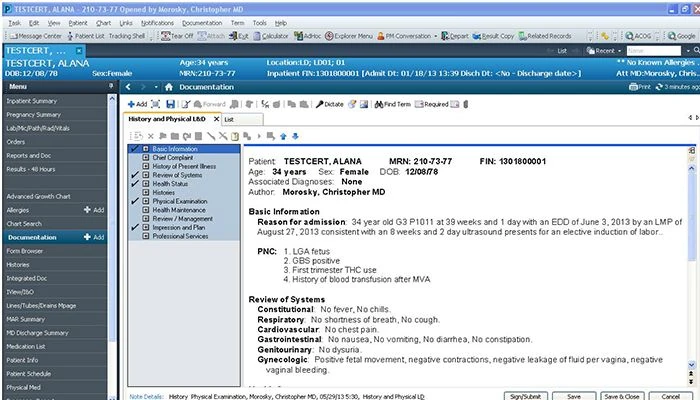
Before designing anything I spent time in the systems clinicians already work in: athenahealth, Epic, Cerner, NextGen and Kareo, read against documentation standards from the AMA and from health systems like Mount Sinai. Two screens stand for the rest.
Both capture structured data reliably, and neither helps anyone decide what to do next. Every field is accounted for and nothing is ranked. The clinical picture is spread across a dozen modules, and assembling it is work that falls to the clinician between patients. That is the surface CARE had to sit on top of, and the reason it had to earn its place without asking for a new one.







Landscape
Fragmented Solutions, Persistent Gaps
The market had already answered parts of this. Each answer solves the step in front of it and leaves the next one open, which is why the load never moves.
Human Scribes and Coders
Accurate on entry, but expensive to staff and thin on the specialty detail that matters.
Template Documentation
One size fits all, so the details that define a case fall outside the fields on offer.
UI Wrappers on LLMs
Fluent until the terminology turns specific, where device and dosing detail goes wrong.
Piecemeal Solutions
Each one fixes a single step, and none of them close the loop across a whole encounter.
Scope
Scope of Work
Documentation
Clinician facing capture and review workflows across the whole encounter.
Real-time Support
Decision support offered during the visit rather than after it closes.
Human in the Loop
Control and validation at every point the model proposes something.
EHR Integration
The experience of sitting inside the systems clinicians already work in.
Approach
Design Principles
The design approach centered on creating AI assistance that functions as background infrastructure supporting clinical work without adding cognitive or interaction overhead. Four principles held the work to it.
Workflow Alignment
Features that fit the workflow a clinician already has, rather than running beside it.
Explainability
Suggestions that show their reasoning and their source, so trust is earned not assumed.
Scalable Personalization
Adapts to a clinician over time while holding one standard across every specialty.
Minimal Cognitive Load
No new tool to manage, so attention stays on the patient rather than the assistant.
Workflow
Navigating a Fragmented Care Journey
The clinician workflow was mapped across the full encounter lifecycle to find where friction accumulates and where CARE could take work off the clinician without disrupting the patient in front of them.
The same six stages carry four readings each: what the clinician does, what they have to touch to do it, what it costs them, and how much of their attention the stage takes. Follow the cognitive load across the six and the shape of the day appears: it is not one bad moment, it is context switching that never resolves and work that follows them home.
- Stage 1
Scheduling & Calendar Review
Does
- Review the daily schedule
- Assess visit types and workload
- Adapt to cancellations and overbooking
Touches
- EHR scheduling
- Calendar
- Front desk
Costs
- Limited visibility into visit complexity
- Schedule changes are handled reactively
- No predictive support for disruptions
Cognitive load
ModerateAnticipatory stress, Planning overhead
- Stage 2
Pre-Visit Chart Review
Does
- Read patient history and prior notes
- Check labs, medications and recent changes
- Identify the context relevant to today
Touches
- Patient chart
- Medication history
- Labs and results
Costs
- Information fragmented across modules
- No concise patient snapshot
- Relevant context requires manual synthesis
Cognitive load
ElevatedInformation synthesis, Time pressure
- Stage 3
Encounter & Documentation
Does
- Interview and examine the patient
- Capture clinical findings
- Document history, assessment and plan
Touches
- Patient interaction
- EHR templates
- Clinical notes
Costs
- Documentation competes with patient attention
- Rigid templates disrupt the natural flow
- Frequent navigation and task switching
Cognitive load
HighDivided attention, Working memory burden
- Stage 4
Coding & Billing
Does
- Select diagnosis and procedure codes
- Check the note supports the coding
- Review for billing completeness
Touches
- Coding module
- Clinical documentation
- Billing workflows
Costs
- Codes surfaced apart from clinical context
- Manual translation from note to code
- Compliance requirements add complexity
Cognitive load
HighAdministrative burden, Compliance anxiety
- Stage 5
Orders & Follow-Ups
Does
- Place lab and imaging orders
- Prescribe medications and create referrals
- Coordinate follow-up actions
Touches
- Orders
- Prescriptions
- Referrals and scheduling
Costs
- Actions distributed across separate workflows
- Repeated context switching
- Follow-up coordination stays manual
Cognitive load
ElevatedDecision fatigue, Friction accumulation
- Stage 6
End-of-Day Wrap-Up
Does
- Complete unfinished notes
- Review pending tasks and results
- Sign and close encounters
Touches
- EHR inbox
- Task queues
- Documentation dashboard
Costs
- Incomplete work accumulates through the day
- Limited visibility into what is outstanding
- Documentation extends beyond clinical hours
Cognitive load
HighMental fatigue, Burnout accumulation






Stakeholders Alignment
Cross-functional perspectives were gathered to clarify priorities, constraints, and success criteria across groups. Each function evaluates the product through a distinct lens, including clinical efficiency, system stability, financial performance, and scalability.
Key Findings
| Stakeholder | What They Care About | Alignment Focus |
|---|---|---|
Clinicians |
|
|
IT / EHR Teams |
|
|
Compliance / Billing Teams |
|
|
Executive Leadership |
|
|
User Persona
Understanding Real-World Clinical Behaviours

Mary George
Medical Director, Personalized Wellness Internal Medicine
- Age
- 59
- In practice
- 20+ years
- Specialty
- Internal medicine
An experienced physician balancing patient care against clinical and administrative load. She wants fast access to the context that matters for the patient in front of her, and fewer screens between her and it.
Goals
- Spend more of the day on patients than on administration
- Understand a patient’s history before the encounter, not during it
- Decide with the relevant context already at hand
Pain Points
- Critical information is scattered across EHR screens
- Documentation and coding run well past the visit
- Repeated navigation and task switching accumulate
Behaviour
- Reviews charts and recent results before each encounter
- Documents during the visit, finishes notes between appointments
- Works to established routines and resists disruption to them
Needs
- A concise, clinically relevant summary before every encounter
- Documentation and coding that adapt to how she already works
- One workspace for context, actions and follow-ups
User Flow
Designing a Seamless Clinical Journey
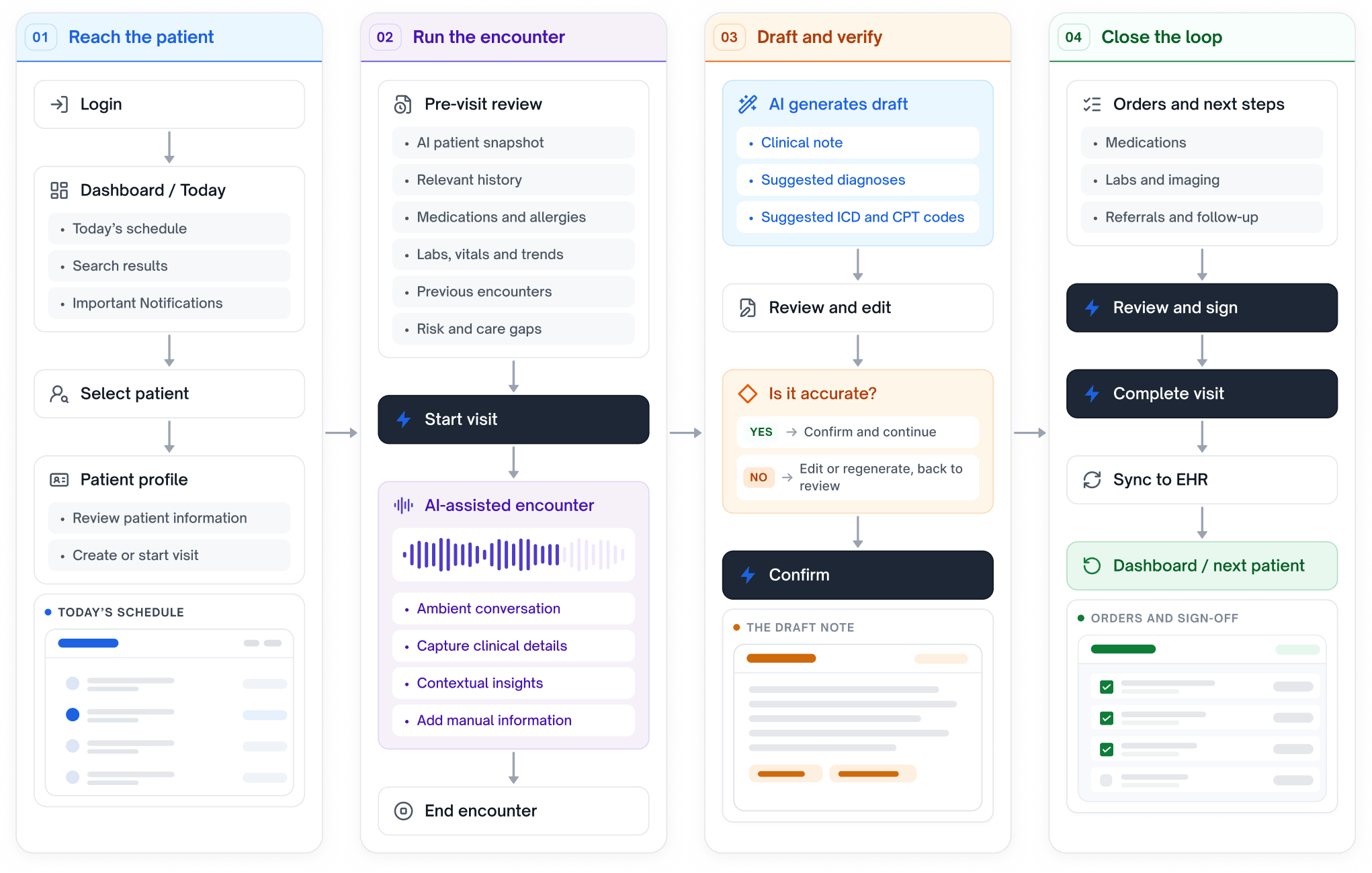
The flow follows one visit end to end, from opening the day to handing the next patient back to the schedule. The AI stages are the three places CARE does work the clinician would otherwise do by hand, and every one of them ends in something she reviews rather than something she receives.
Demo
Product Walkthrough
An interactive walkthrough of the clinician experience is available below, showcasing the core workflows and AI-assisted features designed for CARE.